
How the GRAVHOUNDS map works: 7 solar systems, 25 planets, distinct biomes and atmospheres, run planning, extraction and what the game does not publish.
GRAVHOUNDS Map: 7 Systems and 25 Planets Explained
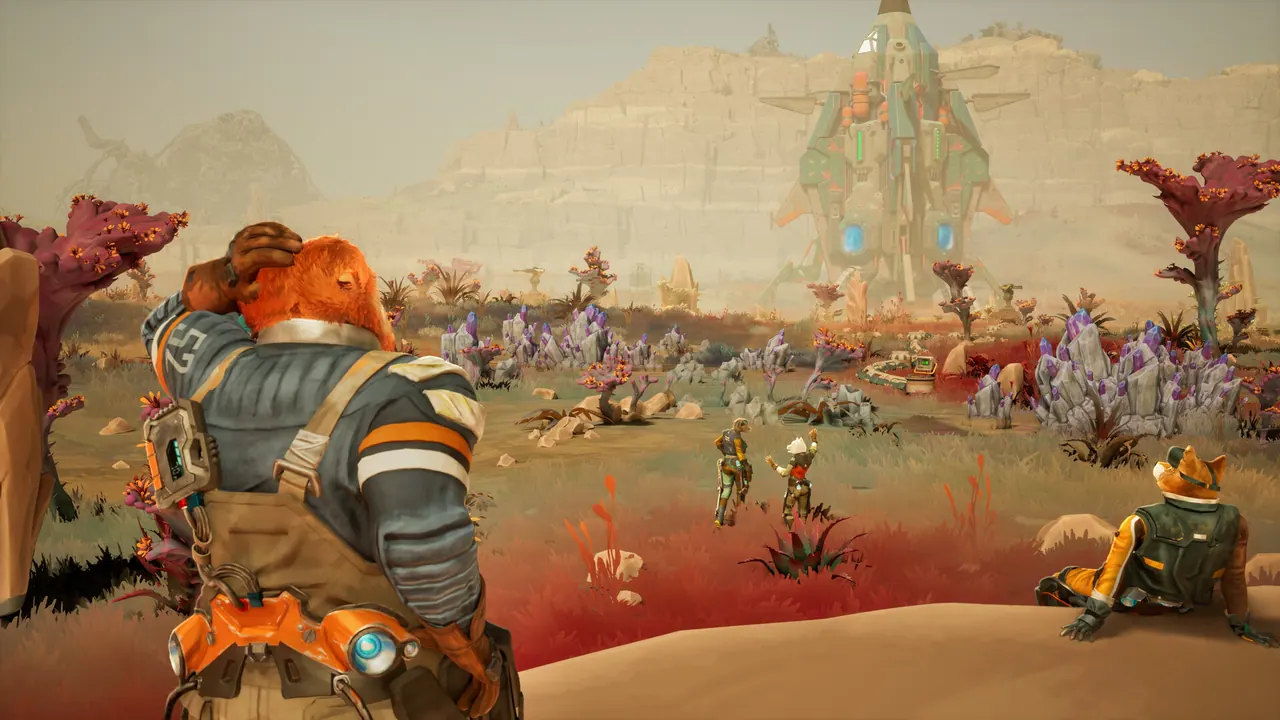
GRAVHOUNDS has 7 solar systems and 25 planets in its Early Access build. The official launch announcement describes planets ranging from sun-scorched deserts to frozen wastelands, each with distinct environments and atmospheric conditions. You drop onto a planet, mine resources, build defenses, fight swarms and extract before the run ends.
There is no published interactive map with coordinates, planet names and loot tables. This page explains what the map actually is, how a run is structured, and how to plan a descent without pretending that a fan-made coordinate list is official.
Official source: GRAVHOUNDS is out now in Early Access ↗, the GRAVHOUNDS store page ↗ and the official Steam news hub ↗.
What the map contains
| Feature | Official detail |
|---|---|
| Solar systems | 7 |
| Planets | 25 |
| Environment range | Sun-scorched deserts to frozen wastelands |
| Planet variation | Distinct environments and atmospheric conditions |
| Playable hounds | 5, each with unique abilities |
| Defenses | 22 turrets and deployable structures |
| Weapons | 4 weapon platforms plus the Grav Beam |
| Boss | Juggernaut |
| Squad size | 1–4 players, online co-op |
The important number is not 25. It is the phrase "distinct environments and atmospheric conditions". A planet is not a reskin of the same flat arena; the atmosphere and environment change what you can build, how far you can see and what kills you. That is the part a simple list of planet names cannot capture.
How a GRAVHOUNDS run maps to a planet
Every deployment follows the same loop:
- Drop. You land on the planet with a loadout and a starting objective.
- Mine. Resource nodes fund your defenses and your upgrades.
- Build. You place turrets, walls and support structures around the objective.
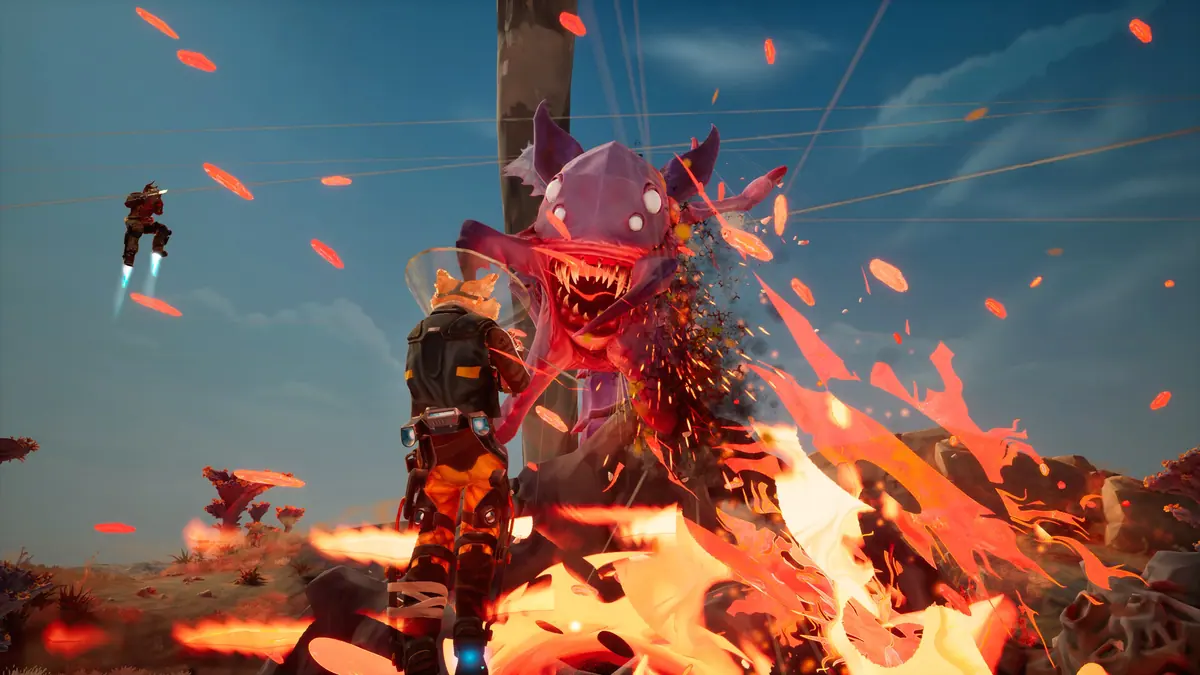
- Fight. Swarms attack in waves, and the pressure escalates.
- Extract. You leave with what you earned, or you lose the run.
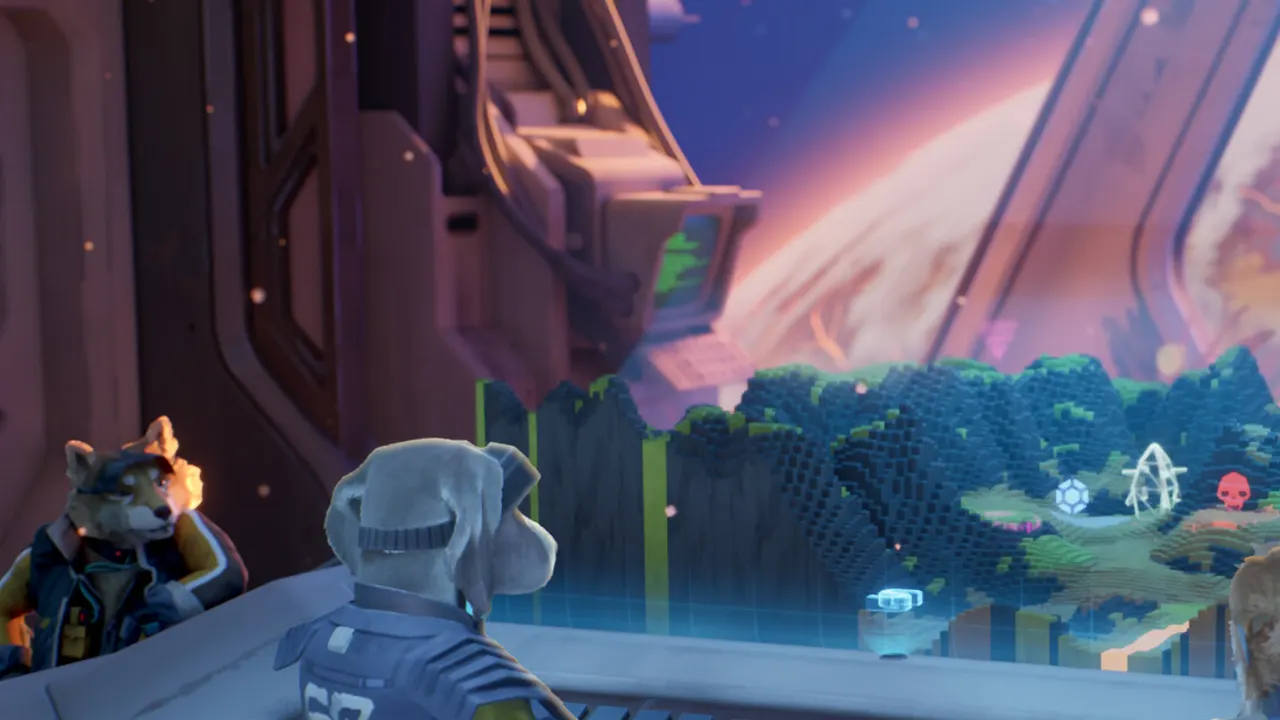
The map screen is the layer above that loop. It is where you choose the planet and the contract, not where you walk around. Once you are on the surface, navigation is local: find the resource nodes, find the attack lanes, and find the extraction point.
This is why a "full map" with coordinates would be misleading even if someone datamined one. The useful information is the planet's environment and the run's objective, not a fixed pixel location that changes with the contract.
Reading a planet before you drop
The official material does not publish a planet-by-planet breakdown. What it does publish is the range: desert heat at one end, frozen cold at the other, with atmospheric conditions in between. Treat the planet select screen as the briefing:
- Environment tells you what the surface does to you. Heat, cold and visibility are run modifiers, not scenery.
- Atmosphere tells you what the sky does. The launch copy treats atmospheric conditions as a distinguishing feature, so do not assume every planet has the same visibility or hazard pressure.
- Objective tells you what you are defending or extracting. That determines your turret layout more than the biome does.
- Squad size tells you how much firepower you can bring. Solo and four-player runs use the same map but not the same build.
If the select screen does not show a number you need, do not invent it. The game does not publish a formal threat rating for every planet in the official copy.
Biomes visible in the official screenshots
The store screenshots show several distinct planet types without naming them:
- Lava and ash worlds with orange skies, active fire and heavy enemy pressure.
- Crystal caves with blue-lit tunnels and tight sightlines.
- Desert and badlands surfaces with wide open ground and long sightlines.
- Frozen and rocky terrain with pale light and low visibility.
Those are visual examples, not a complete biome list. The official count is 25 planets, and the launch copy only commits to the desert-to-frozen range. Do not treat the screenshots as a taxonomy of every planet in the game.
Systems, planets and progression
The official launch announcement says the Early Access build has 7 systems and 25 planets. It does not publish a system-by-system unlock order, a recommended level per system, or a list of which planets are available at the start.
That matters because "7 systems" can mean two very different things: all 25 planets are selectable from the start, or the systems unlock as you progress. The official copy does not settle it. The GRAVHOUNDS progression guide covers the upgrade side; the map side is still an open question until the game shows it.
What is confirmed is that the planets are the content pool for the run loop. You are not traveling between them in a continuous open world. You select a deployment, fight on the surface, and extract. The map is a mission board with a planet theme, not a seamless galaxy.
Planning a route with friends
GRAVHOUNDS uses player-hosted online co-op for up to four players. The host's planet selection is the group's planet selection, so the map conversation happens before anyone readies up.
A practical group plan:
- Pick one planet and one objective, not a tour of several.
- Bring a mix of defense and direct damage; the build guide covers the weapon and mod side.
- Decide who places turrets and who mines. A squad that all mines at once loses the first wave.
- Agree on an extraction trigger. Waiting for one more resource wave is how runs end badly.
The GRAVHOUNDS multiplayer guide covers hosting and connection issues. The map itself does not add a separate matchmaking layer.
What the map does not tell you
The official map does not publish:
- planet names with resource tables
- a recommended order for the 25 planets
- exact enemy compositions per planet
- extraction timers or wave counts per contract
- a difficulty rating for each world
Any guide that lists those numbers is either datamining, measuring, or guessing. This page sticks to the official count and the official description of how planets differ.
A planet with a great biome is still a bad choice if its objective does not fit your build. Choose the contract first, then the world.
FAQ
How many planets are in GRAVHOUNDS?
25 planets across 7 solar systems, according to the official Early Access launch announcement.
Is the GRAVHOUNDS map open world?
No. A run is a deployment onto a planet surface: drop, mine, build, fight and extract. The map is the selection layer above those deployments, not a seamless open world.
Are all 25 planets available at launch?
The official announcement confirms the count but does not publish an unlock order or a start-of-game planet list. Check the in-game select screen for the current build rather than relying on a fan list.
Does the map change in co-op?
The planet and contract are selected by the host, and up to four players deploy together. The layout does not generate a separate map for each player.
More GRAVHOUNDS Guides
Build a GRAVHOUNDS base that survives escalating swarms: site selection, four defensive layers, power placement and layouts for solo to four players.
A first-shift walkthrough for GRAVHOUNDS: what to mine, where to build, how pipes pay for themselves, and when to call the ship.
A complete GRAVHOUNDS build for hard planets: rapid-fire crit weapon, turret support deck, Dozer mines and the exact 10-card Mod Deck.
The best GRAVHOUNDS character for solo, duo, four-player packs and boss runs, with the reasoning and the loadout each hound enables.
A practical GRAVHOUNDS Juggernaut guide: arena preparation, phase behavior, turret placement, team roles and the mistakes that wipe the base.
How GRAVHOUNDS builds work: the 10-card Mod Deck, Showstoppers, weapon choices and the stack rules that decide whether a run snowballs.